The Complete Guide to Intersection Observer API: From Basics to Advanced
Introduction
Have you ever wanted to know when an element becomes visible on the screen? Maybe you want to lazy load images, implement infinite scroll, or trigger animations when elements come into view. Traditionally, developers used scroll event listeners to achieve this, but there's a major problem: scroll events fire constantly and can seriously hurt your website's performance.
Enter the Intersection Observer API – a native, performant solution that lets you observe when elements enter or leave the viewport without the performance penalties of scroll listeners.
What is the Intersection Observer API?
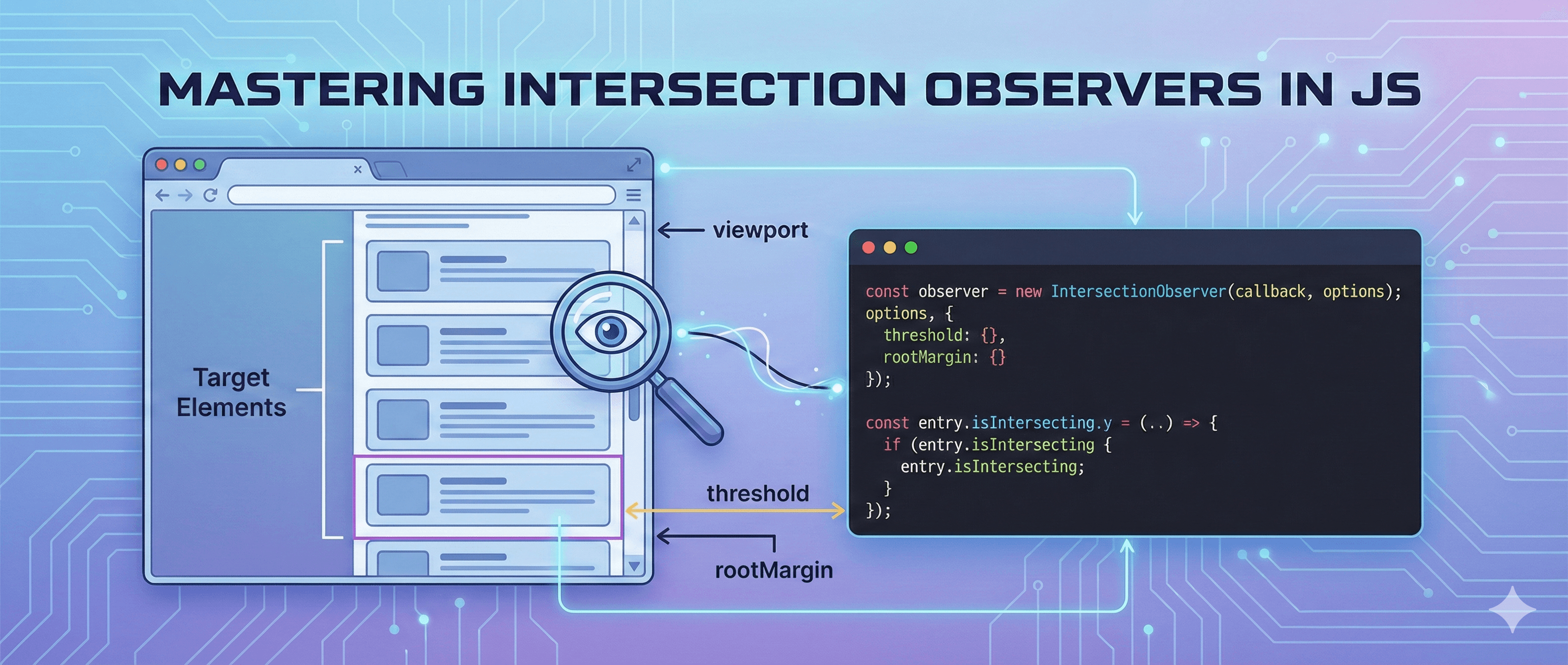
The Intersection Observer API provides a way to asynchronously observe changes in the intersection of a target element with an ancestor element or with the viewport. In simpler terms: it tells you when an element is visible on screen.
Think of it like a security camera that watches specific elements on your page and notifies you when they enter or exit the frame.
Why Use It Instead of Scroll Listeners?
// ❌ BAD: Old way with scroll events
window.addEventListener('scroll', () => {
    const element = document.querySelector('.my-element');
    const rect = element.getBoundingClientRect();

    if (rect.top >= 0 && rect.bottom <= window.innerHeight) {
        console.log('Element is visible!');
    }
});
// This runs on EVERY scroll event - potentially hundreds of times per second!
// ✅ GOOD: With Intersection Observer
const observer = new IntersectionObserver((entries) => {
    entries.forEach((entry) => {
        if (entry.isIntersecting) {
            console.log('Element is visible!');
        }
    });
});

observer.observe(document.querySelector('.my-element'));
// This only fires when visibility actually changes!
Key Benefits:
- Better Performance: Runs off the main thread, doesn't block user interactions
- Cleaner Code: No manual calculations needed
- Battery Friendly: Uses fewer resources, especially on mobile devices
- Native Solution: Built into modern browsers, no libraries needed
The Basics: How It Works
The Intersection Observer works in three simple steps:
- Create an observer with a callback function
- Tell the observer which elements to watch
- The callback fires when visibility changes
Here's the simplest possible example:
// Step 1: Create an observer
const observer = new IntersectionObserver((entries) => {
    // Step 3: This callback runs when visibility changes
    entries.forEach((entry) => {
        console.log('Is element visible?', entry.isIntersecting);
    });
});

// Step 2: Tell it what to observe
const element = document.querySelector('.watch-me');
observer.observe(element);
Understanding the Callback
When visibility changes, the observer calls your callback function with an array of IntersectionObserverEntry objects. Each entry contains useful information:
const observer = new IntersectionObserver((entries) => {
    entries.forEach((entry) => {
        console.log('Target element:', entry.target);
        console.log('Is intersecting?', entry.isIntersecting);
        console.log('Intersection ratio:', entry.intersectionRatio);
        console.log('Bounding box:', entry.boundingClientRect);
        console.log('Time:', entry.time);
    });
});
Key Properties:
entry.isIntersecting: Boolean - is the element visible?entry.intersectionRatio: Number (0 to 1) - how much of the element is visibleentry.target: The actual DOM element being observedentry.boundingClientRect: The element's position and sizeentry.intersectionRect: The visible portion of the element
Configuration Options
The IntersectionObserver constructor accepts an optional configuration object:
const options = {
    root: null, // Element to use as viewport (null = browser viewport)
    rootMargin: '0px', // Margin around root (like CSS margin)
    threshold: 0, // Percentage of visibility to trigger callback
};

const observer = new IntersectionObserver(callback, options);
Understanding root
The root is the element you want to use as the viewport for checking visibility.
// Use the browser viewport (default)
const observer1 = new IntersectionObserver(callback, {
    root: null,
});

// Use a specific container element
const container = document.querySelector('.scrollable-container');
const observer2 = new IntersectionObserver(callback, {
    root: container,
});
Understanding rootMargin
rootMargin lets you grow or shrink the observation area. It works just like CSS margin.
// Trigger 50px BEFORE element enters viewport
const observer = new IntersectionObserver(callback, {
    rootMargin: '50px',
});

// Different margins for each side
const observer2 = new IntersectionObserver(callback, {
    rootMargin: '10px 20px 30px 40px', // top right bottom left
});

// Negative margin - element must be MORE visible
const observer3 = new IntersectionObserver(callback, {
    rootMargin: '-50px', // Element must be 50px inside viewport
});
Understanding threshold
threshold determines when the callback fires based on how much of the element is visible.
// Fire when ANY part of element is visible (default)
const observer1 = new IntersectionObserver(callback, {
    threshold: 0,
});

// Fire when element is fully visible
const observer2 = new IntersectionObserver(callback, {
    threshold: 1.0,
});

// Fire when 50% is visible
const observer3 = new IntersectionObserver(callback, {
    threshold: 0.5,
});

// Fire at multiple points
const observer4 = new IntersectionObserver(callback, {
    threshold: [0, 0.25, 0.5, 0.75, 1.0],
});
Practical Example 1: Lazy Loading Images
Let's implement lazy loading - only loading images when they're about to enter the viewport. This dramatically improves initial page load time!
HTML Setup
<img
    class="lazy-image"
    data-src="path/to/actual-image.jpg"
    src="path/to/placeholder.jpg"
    alt="Description"
/>

<img
    class="lazy-image"
    data-src="path/to/another-image.jpg"
    src="path/to/placeholder.jpg"
    alt="Another image"
/>

<!-- More images... -->
JavaScript Implementation
// Configuration: Load images 50px before they enter viewport
const imageObserver = new IntersectionObserver(
    (entries, observer) => {
        entries.forEach((entry) => {
            // Check if image is intersecting
            if (entry.isIntersecting) {
                const img = entry.target;

                // Replace placeholder with actual image
                img.src = img.dataset.src;

                // Optional: Add loaded class for CSS transitions
                img.classList.add('loaded');

                // Stop observing this image (we only need to load it once)
                observer.unobserve(img);

                console.log('Image loaded:', img.src);
            }
        });
    },
    {
        rootMargin: '50px', // Start loading before image enters viewport
    }
);

// Observe all lazy images
document.querySelectorAll('.lazy-image').forEach((img) => {
    imageObserver.observe(img);
});
Enhanced Version with Error Handling
const lazyLoadImages = () => {
    const imageObserver = new IntersectionObserver(
        (entries, observer) => {
            entries.forEach((entry) => {
                if (entry.isIntersecting) {
                    const img = entry.target;
                    const src = img.dataset.src;

                    // Create a new image to preload
                    const newImg = new Image();

                    newImg.onload = () => {
                        img.src = src;
                        img.classList.add('loaded');
                        observer.unobserve(img);
                    };

                    newImg.onerror = () => {
                        console.error('Failed to load image:', src);
                        img.classList.add('error');
                        observer.unobserve(img);
                    };

                    newImg.src = src;
                }
            });
        },
        {
            rootMargin: '50px',
            threshold: 0.01, // Trigger when 1% is visible
        }
    );

    document.querySelectorAll('img[data-src]').forEach((img) => {
        imageObserver.observe(img);
    });
};

// Initialize when DOM is ready
if (document.readyState === 'loading') {
    document.addEventListener('DOMContentLoaded', lazyLoadImages);
} else {
    lazyLoadImages();
}
CSS for Smooth Transitions
.lazy-image {
    opacity: 0;
    transition: opacity 0.3s ease-in-out;
}

.lazy-image.loaded {
    opacity: 1;
}

.lazy-image.error {
    opacity: 0.5;
    border: 2px solid red;
}
Practical Example 2: Infinite Scroll
Infinite scroll loads more content as the user scrolls down - perfect for social media feeds, product listings, and search results.
HTML Setup
<div class="content-container">
    <div class="post">Post 1</div>
    <div class="post">Post 2</div>
    <!-- More posts... -->
</div>

<!-- Sentinel element that triggers loading -->
<div id="sentinel"></div>

<!-- Loading indicator -->
<div id="loading" style="display: none;">Loading more content...</div>
Basic Implementation
let currentPage = 1;
let isLoading = false;

const loadMoreContent = async () => {
    if (isLoading) return; // Prevent multiple simultaneous loads

    isLoading = true;
    const loading = document.getElementById('loading');
    loading.style.display = 'block';

    try {
        // Simulate API call
        const response = await fetch(`/api/posts?page=${currentPage}`);
        const data = await response.json();

        // Add new content to container
        const container = document.querySelector('.content-container');
        data.posts.forEach((post) => {
            const div = document.createElement('div');
            div.className = 'post';
            div.textContent = post.title;
            container.appendChild(div);
        });

        currentPage++;
    } catch (error) {
        console.error('Failed to load content:', error);
    } finally {
        isLoading = false;
        loading.style.display = 'none';
    }
};

// Create observer for the sentinel element
const sentinelObserver = new IntersectionObserver(
    (entries) => {
        entries.forEach((entry) => {
            if (entry.isIntersecting) {
                console.log('Sentinel is visible - loading more content');
                loadMoreContent();
            }
        });
    },
    {
        rootMargin: '100px', // Start loading 100px before sentinel is visible
    }
);

// Start observing the sentinel
const sentinel = document.getElementById('sentinel');
sentinelObserver.observe(sentinel);
Advanced Implementation with Pagination End
class InfiniteScroll {
    constructor(options) {
        this.container = document.querySelector(options.container);
        this.sentinel = document.querySelector(options.sentinel);
        this.loadingElement = document.querySelector(options.loading);
        this.apiEndpoint = options.apiEndpoint;

        this.currentPage = 1;
        this.isLoading = false;
        this.hasMore = true;

        this.init();
    }

    init() {
        this.observer = new IntersectionObserver(
            (entries) => {
                entries.forEach((entry) => {
                    if (
                        entry.isIntersecting &&
                        !this.isLoading &&
                        this.hasMore
                    ) {
                        this.loadMore();
                    }
                });
            },
            {
                rootMargin: '200px',
                threshold: 0,
            }
        );

        this.observer.observe(this.sentinel);
    }

    async loadMore() {
        this.isLoading = true;
        this.showLoading();

        try {
            const response = await fetch(
                `${this.apiEndpoint}?page=${this.currentPage}`
            );

            if (!response.ok) {
                throw new Error('Failed to fetch');
            }

            const data = await response.json();

            if (data.posts.length === 0 || data.isLastPage) {
                this.hasMore = false;
                this.showEndMessage();
                this.observer.unobserve(this.sentinel);
                return;
            }

            this.renderPosts(data.posts);
            this.currentPage++;
        } catch (error) {
            console.error('Error loading content:', error);
            this.showError();
        } finally {
            this.isLoading = false;
            this.hideLoading();
        }
    }

    renderPosts(posts) {
        const fragment = document.createDocumentFragment();

        posts.forEach((post) => {
            const div = document.createElement('div');
            div.className = 'post';
            div.innerHTML = `
        <h3>${post.title}</h3>
        <p>${post.excerpt}</p>
      `;
            fragment.appendChild(div);
        });

        this.container.appendChild(fragment);
    }

    showLoading() {
        this.loadingElement.style.display = 'block';
    }

    hideLoading() {
        this.loadingElement.style.display = 'none';
    }

    showEndMessage() {
        this.sentinel.innerHTML = '<p>No more content to load</p>';
    }

    showError() {
        this.sentinel.innerHTML =
            '<p>Error loading content. Please try again.</p>';
    }

    destroy() {
        this.observer.disconnect();
    }
}

// Usage
const infiniteScroll = new InfiniteScroll({
    container: '.content-container',
    sentinel: '#sentinel',
    loading: '#loading',
    apiEndpoint: '/api/posts',
});
Advanced Use Cases
1. Fade-in Animations on Scroll
Make elements fade in when they come into view:
const fadeInObserver = new IntersectionObserver(
    (entries) => {
        entries.forEach((entry) => {
            if (entry.isIntersecting) {
                entry.target.classList.add('fade-in');
                fadeInObserver.unobserve(entry.target); // Only animate once
            }
        });
    },
    {
        threshold: 0.1, // Trigger when 10% is visible
    }
);

document.querySelectorAll('.animate-on-scroll').forEach((el) => {
    fadeInObserver.observe(el);
});
.animate-on-scroll {
    opacity: 0;
    transform: translateY(20px);
    transition: opacity 0.6s ease-out, transform 0.6s ease-out;
}

.animate-on-scroll.fade-in {
    opacity: 1;
    transform: translateY(0);
}
2. Visibility Tracking for Analytics
Track when users actually view content:
const analyticsObserver = new IntersectionObserver(
    (entries) => {
        entries.forEach((entry) => {
            if (entry.isIntersecting) {
                const element = entry.target;
                const viewDuration = entry.time;

                // Track that user viewed this content
                console.log('User viewed:', element.dataset.trackId);

                // Send to analytics
                // gtag('event', 'content_view', {
                //   content_id: element.dataset.trackId,
                //   content_type: element.dataset.trackType
                // });

                analyticsObserver.unobserve(element);
            }
        });
    },
    {
        threshold: 0.5, // Element must be 50% visible
        rootMargin: '0px',
    }
);

document.querySelectorAll('[data-track-id]').forEach((el) => {
    analyticsObserver.observe(el);
});
3. Video Auto-play on Visibility
Play videos when they're visible, pause when not:
const videoObserver = new IntersectionObserver(
    (entries) => {
        entries.forEach((entry) => {
            const video = entry.target;

            if (entry.isIntersecting) {
                video.play();
            } else {
                video.pause();
            }
        });
    },
    {
        threshold: 0.5, // Video must be 50% visible
    }
);

document.querySelectorAll('video.auto-play').forEach((video) => {
    videoObserver.observe(video);
});
4. Sticky Header Detection
Detect when a header becomes sticky:
const header = document.querySelector('header');
const sentinel = document.createElement('div');
sentinel.style.height = '1px';
header.parentNode.insertBefore(sentinel, header);

const stickyObserver = new IntersectionObserver(
    ([entry]) => {
        header.classList.toggle('is-sticky', !entry.isIntersecting);
    },
    {
        threshold: 1,
    }
);

stickyObserver.observe(sentinel);
header.is-sticky {
    box-shadow: 0 2px 4px rgba(0, 0, 0, 0.1);
    background: white;
}
5. Progress Indicator for Reading
Show reading progress as user scrolls through content:
const sections = document.querySelectorAll('section');
const progressBar = document.querySelector('.progress-bar');

const progressObserver = new IntersectionObserver(
    (entries) => {
        entries.forEach((entry) => {
            if (entry.isIntersecting) {
                const index = Array.from(sections).indexOf(entry.target);
                const progress = ((index + 1) / sections.length) * 100;
                progressBar.style.width = `${progress}%`;
            }
        });
    },
    {
        threshold: 0.5,
    }
);

sections.forEach((section) => {
    progressObserver.observe(section);
});
Managing Multiple Observers
You can create multiple observers for different purposes:
// Observer for lazy loading
const lazyObserver = new IntersectionObserver(lazyLoadCallback, {
    rootMargin: '50px',
});

// Observer for animations
const animationObserver = new IntersectionObserver(animationCallback, {
    threshold: 0.2,
});

// Observer for analytics
const analyticsObserver = new IntersectionObserver(analyticsCallback, {
    threshold: 0.8,
});

// Apply different observers to different elements
document.querySelectorAll('img[data-src]').forEach((img) => {
    lazyObserver.observe(img);
});

document.querySelectorAll('.animate').forEach((el) => {
    animationObserver.observe(el);
});

document.querySelectorAll('[data-analytics]').forEach((el) => {
    analyticsObserver.observe(el);
});
Performance Considerations
1. Unobserve When Done
Always unobserve elements when you're done with them:
const observer = new IntersectionObserver((entries, observer) => {
    entries.forEach((entry) => {
        if (entry.isIntersecting) {
            // Do your thing
            entry.target.classList.add('loaded');

            // Stop observing this element
            observer.unobserve(entry.target);
        }
    });
});
2. Disconnect Observers
When you're completely done (e.g., component unmount in React):
// Stop observing ALL elements and cleanup
observer.disconnect();
3. Use Threshold Wisely
More threshold values = more callbacks:
// This triggers callbacks at 100 different points!
const observer = new IntersectionObserver(callback, {
    threshold: Array.from({ length: 100 }, (_, i) => i / 100),
});

// Usually, you only need 1-3 values
const betterObserver = new IntersectionObserver(callback, {
    threshold: [0, 0.5, 1.0],
});
4. Debounce Expensive Operations
If your callback does expensive work, consider debouncing:
const debounce = (func, wait) => {
    let timeout;
    return (...args) => {
        clearTimeout(timeout);
        timeout = setTimeout(() => func(...args), wait);
    };
};

const expensiveCallback = debounce((entries) => {
    entries.forEach((entry) => {
        // Expensive operation here
    });
}, 100);

const observer = new IntersectionObserver(expensiveCallback);
Browser Support and Fallbacks
Intersection Observer has excellent browser support (95%+ global coverage), but you might want a fallback for older browsers:
if ('IntersectionObserver' in window) {
    // Use Intersection Observer
    const observer = new IntersectionObserver(callback);
    observer.observe(element);
} else {
    // Fallback: Load all images immediately
    document.querySelectorAll('img[data-src]').forEach((img) => {
        img.src = img.dataset.src;
    });

    // Or use a polyfill
    console.log('Consider loading IntersectionObserver polyfill');
}
Using a Polyfill
For older browsers, you can use the official polyfill:
<script src="https://polyfill.io/v3/polyfill.min.js?features=IntersectionObserver"></script>
Common Patterns and Best Practices
Pattern 1: Observe Once Pattern
const observeOnce = (element, callback, options = {}) => {
    const observer = new IntersectionObserver((entries, obs) => {
        entries.forEach((entry) => {
            if (entry.isIntersecting) {
                callback(entry);
                obs.unobserve(entry.target);
            }
        });
    }, options);

    observer.observe(element);
    return observer;
};

// Usage
observeOnce(element, (entry) => {
    console.log('Element became visible!');
});
Pattern 2: Batch Processing
const observeElements = (selector, callback, options = {}) => {
    const observer = new IntersectionObserver(callback, options);

    document.querySelectorAll(selector).forEach((el) => {
        observer.observe(el);
    });

    return observer;
};

// Usage
const myObserver = observeElements(
    '.lazy-load',
    (entries) => {
        entries.forEach((entry) => {
            if (entry.isIntersecting) {
                // Handle visibility
            }
        });
    },
    { rootMargin: '50px' }
);
Pattern 3: React Hook
// useIntersectionObserver.js
import { useEffect, useRef, useState } from 'react';

export const useIntersectionObserver = (options = {}) => {
    const [isIntersecting, setIsIntersecting] = useState(false);
    const elementRef = useRef(null);

    useEffect(() => {
        const observer = new IntersectionObserver(([entry]) => {
            setIsIntersecting(entry.isIntersecting);
        }, options);

        const currentElement = elementRef.current;
        if (currentElement) {
            observer.observe(currentElement);
        }

        return () => {
            if (currentElement) {
                observer.unobserve(currentElement);
            }
        };
    }, [options]);

    return [elementRef, isIntersecting];
};

// Usage in component
const MyComponent = () => {
    const [ref, isVisible] = useIntersectionObserver({
        threshold: 0.5,
    });

    return (
        <div ref={ref}>{isVisible ? 'I am visible!' : 'Not visible yet'}</div>
    );
};
Debugging Tips
1. Log Everything
const observer = new IntersectionObserver((entries) => {
    entries.forEach((entry) => {
        console.log({
            target: entry.target,
            isIntersecting: entry.isIntersecting,
            intersectionRatio: entry.intersectionRatio,
            boundingClientRect: entry.boundingClientRect,
            intersectionRect: entry.intersectionRect,
            rootBounds: entry.rootBounds,
        });
    });
}, options);
2. Visual Debug Tool
const debugObserver = new IntersectionObserver((entries) => {
    entries.forEach((entry) => {
        if (entry.isIntersecting) {
            entry.target.style.border = '3px solid green';
        } else {
            entry.target.style.border = '3px solid red';
        }
    });
});

document.querySelectorAll('.debug').forEach((el) => {
    debugObserver.observe(el);
});
3. Check Your Options
// Make sure your rootMargin is valid CSS
const observer = new IntersectionObserver(callback, {
    rootMargin: '10px 20px 30px 40px', // ✅ Valid
    // rootMargin: '10' // ❌ Invalid - needs unit
});

// Make sure threshold is between 0 and 1
const observer2 = new IntersectionObserver(callback, {
    threshold: 0.5, // ✅ Valid
    // threshold: 150 // ❌ Invalid - must be 0-1
});
Real-World Complete Example
Here's a complete, production-ready implementation combining lazy loading and infinite scroll:
class ContentLoader {
    constructor() {
        this.page = 1;
        this.loading = false;
        this.hasMore = true;

        this.initLazyLoading();
        this.initInfiniteScroll();
    }

    initLazyLoading() {
        this.imageObserver = new IntersectionObserver(
            (entries, observer) => {
                entries.forEach((entry) => {
                    if (entry.isIntersecting) {
                        this.loadImage(entry.target, observer);
                    }
                });
            },
            {
                rootMargin: '50px',
            }
        );

        this.observeImages();
    }

    observeImages() {
        document.querySelectorAll('img[data-src]').forEach((img) => {
            this.imageObserver.observe(img);
        });
    }

    loadImage(img, observer) {
        const src = img.dataset.src;

        img.src = src;
        img.onload = () => {
            img.removeAttribute('data-src');
            img.classList.add('loaded');
            observer.unobserve(img);
        };

        img.onerror = () => {
            console.error('Failed to load:', src);
            observer.unobserve(img);
        };
    }

    initInfiniteScroll() {
        const sentinel = document.getElementById('sentinel');

        this.scrollObserver = new IntersectionObserver(
            (entries) => {
                entries.forEach((entry) => {
                    if (entry.isIntersecting && !this.loading && this.hasMore) {
                        this.loadMoreContent();
                    }
                });
            },
            {
                rootMargin: '200px',
            }
        );

        if (sentinel) {
            this.scrollObserver.observe(sentinel);
        }
    }

    async loadMoreContent() {
        this.loading = true;
        this.showLoading();

        try {
            const response = await fetch(`/api/content?page=${this.page}`);
            const data = await response.json();

            if (data.items.length === 0) {
                this.hasMore = false;
                this.showEndMessage();
                return;
            }

            this.renderContent(data.items);
            this.observeImages(); // Observe new images
            this.page++;
        } catch (error) {
            console.error('Error:', error);
            this.showError();
        } finally {
            this.loading = false;
            this.hideLoading();
        }
    }

    renderContent(items) {
        const container = document.querySelector('.content');
        const fragment = document.createDocumentFragment();

        items.forEach((item) => {
            const article = document.createElement('article');
            article.innerHTML = `
        <img data-src="${item.image}" alt="${item.title}">
        <h2>${item.title}</h2>
        <p>${item.description}</p>
      `;
            fragment.appendChild(article);
        });

        container.appendChild(fragment);
    }

    showLoading() {
        document.getElementById('loading').style.display = 'block';
    }

    hideLoading() {
        document.getElementById('loading').style.display = 'none';
    }

    showEndMessage() {
        const sentinel = document.getElementById('sentinel');
        sentinel.textContent = 'No more content';
    }

    showError() {
        alert('Failed to load content. Please refresh the page.');
    }

    destroy() {
        this.imageObserver.disconnect();
        this.scrollObserver.disconnect();
    }
}

// Initialize
document.addEventListener('DOMContentLoaded', () => {
    const loader = new ContentLoader();

    // Cleanup on page unload
    window.addEventListener('beforeunload', () => {
        loader.destroy();
    });
});
Conclusion
The Intersection Observer API is a powerful, performant way to detect element visibility. By replacing scroll event listeners, you can:
- Dramatically improve performance - No more constant scroll calculations
- Build better UX - Lazy loading, infinite scroll, animations
- Save bandwidth - Load resources only when needed
- Improve SEO - Better page load times
- Reduce battery drain - Especially important on mobile
Key takeaways:
- Always unobserve elements when done
- Use rootMargin to preload content before it's visible
- Choose threshold values carefully based on your needs
- Disconnect observers when completely done
- Fallback gracefully for older browsers
The Intersection Observer API is one of the most useful modern web APIs - master it, and you'll write better, more performant web applications!
Resources
Happy observing! 🔭